
 Support
RentPackage Maintenance Management: Tenants Report Repairs, You Schedule the Visit, and Tenants and Vendors Get Notified, So Landlords and Agents Never Miss a Repair
Contents
Why use Maintenance Management
Repair requests usually arrive by phone or message. When you get busy, it is easy to forget to book the contractor or reply to the tenant, so the tenant keeps calling to ask "When are you coming to fix it?". With more units, who has been fixed and who is still waiting lives only in your memory.
- All maintenance requests in one place
Requests without a date sit in the [Unscheduled] list, scheduled ones show on the calendar. Open it and you see who is responsible and which day it will be fixed. - Tenants report repairs themselves
Tenants report from [Maintenance] in the Tenant Portal, or from [Report a repair] in the rent payment notice email (no login needed). Once sent, it becomes an unscheduled maintenance request. - Schedule the date and the system notifies everyone
The tenant, the assigned employee and the maintenance vendor all receive an Email, and employees and tenants who connected Telegram get it there too. Notify on the day, 1 to 30 days ahead, or send it right away. - Bill repair costs directly
After saving the maintenance request, you can add a bill between the tenant and the owner, or between the tenant and the company, so repair costs are not missed.
How employees create a maintenance request
Go to [Maintenance] > [Maintenance Management], press [Add] > [Maintenance Request], and fill in:
- Subject: what is broken. You can also note when the tenant is available.
- Property, unit and tenant.
- Status and priority.
- Which employee it is assigned to, and the maintenance vendor. A vendor can store a phone number, messaging app ID and bank account, so next time you just select it.
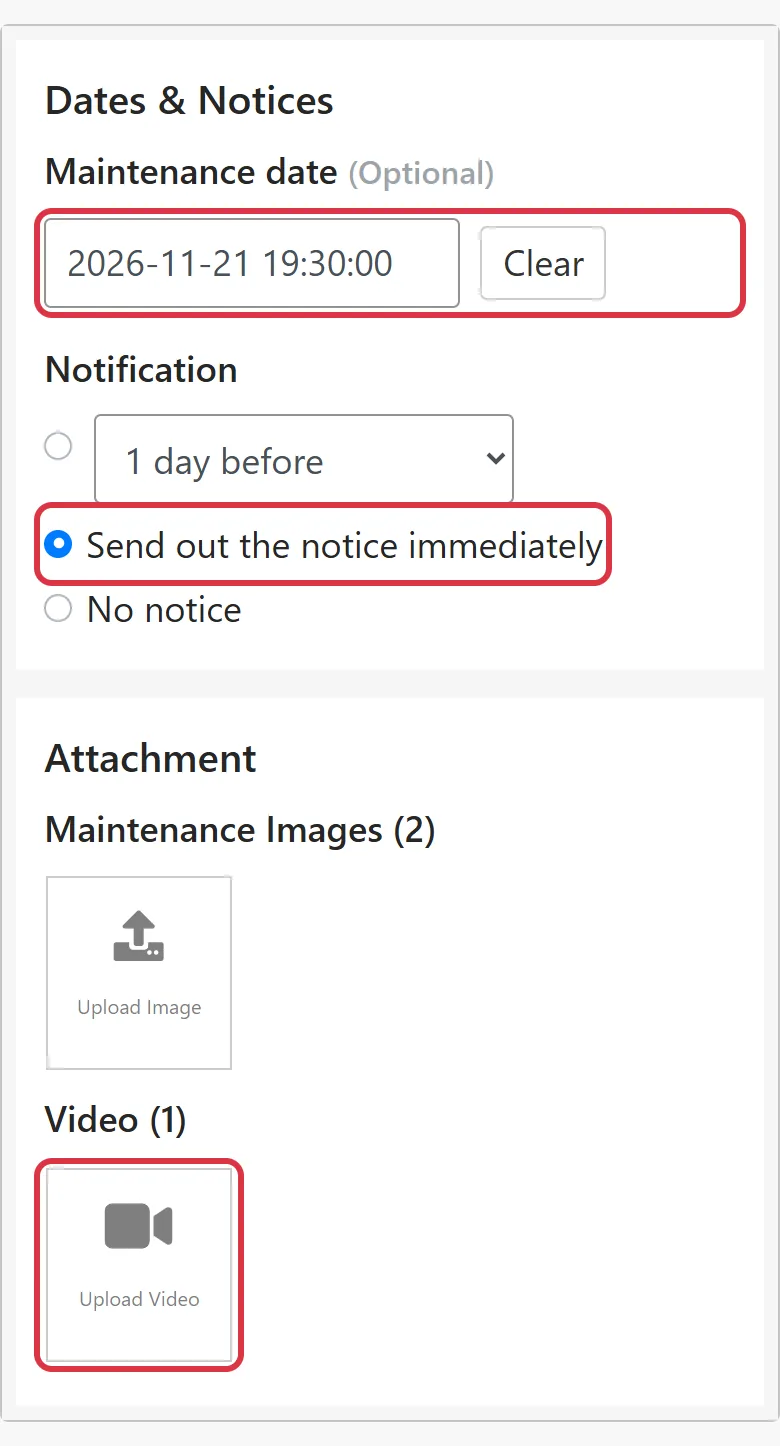
- Maintenance date and notification: pick the maintenance date, then choose when to notify.
- Attachments: upload photos of what is broken. You can also upload one video of up to 60 seconds.
When a tenant repair request comes in
A tenant repair request appears in the [Unscheduled] list, labeled "Tenant request". Open it and the top shows which tenant reported it and when. Set the [Maintenance date], choose [Send out the notice immediately] and press [Save]. The tenant is notified and can follow the progress in the Tenant Portal.
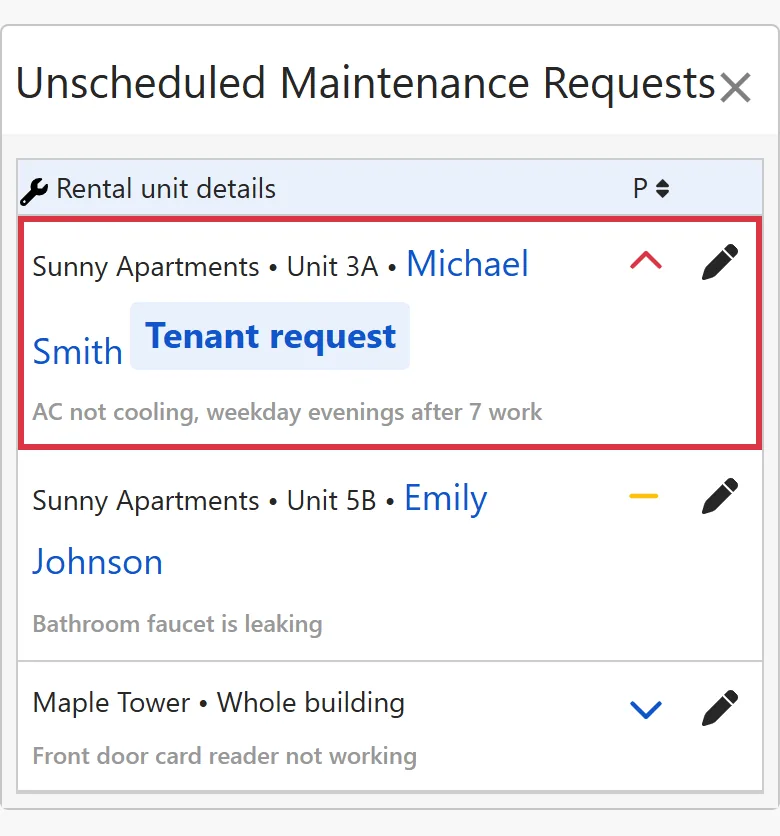
Maintenance request statuses
| Status | Meaning |
|---|---|
| Unscheduled | No maintenance date yet. A tenant repair request starts with this status. |
| To Do | The maintenance date is set, but it is not fixed yet. |
| Ongoing | The repair is in progress. |
| Done | Fixed. |
| On Hold | Paused for now, for example while waiting for parts. |
| Won't Fix | Checked, and no repair is needed. |
| Reopened | It broke again after being fixed, so it is handled again. |
| Abandoned | This request will not be handled, for example because the tenant canceled the repair request. |
Billing repair costs
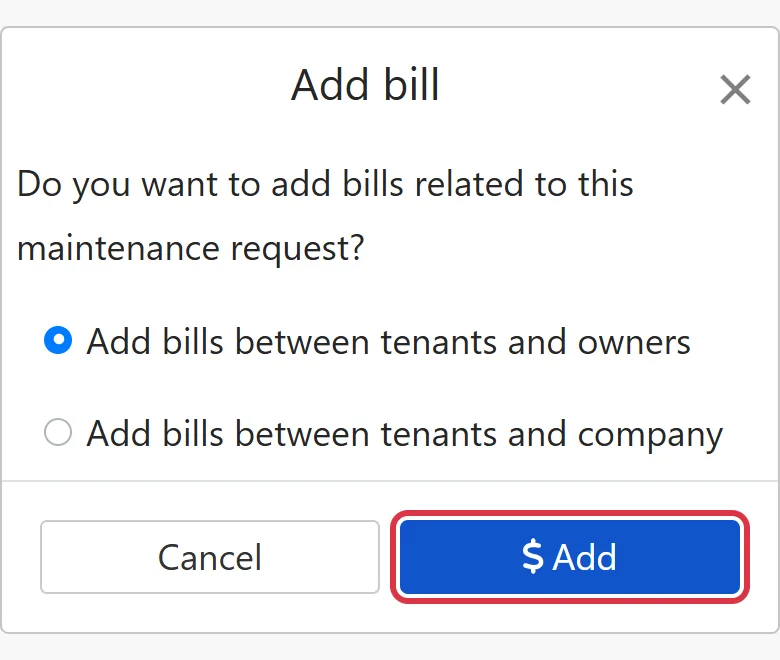
When you save a maintenance request, the system asks whether you want to add bills related to it. When you need to record the repair cost, choose to add a bill between the tenant and the owner, or between the tenant and the company. The bill stays linked to the maintenance request.
FAQ
Can tenants who have not registered still report a repair?
Yes. The rent payment notice email has a [Report a repair] button. Tenants click it to report a repair without logging in.
Why does the status switch to To Do and then back to Unscheduled?
When you pick a maintenance date, the status changes from [Unscheduled] to [To Do] automatically; when you clear the maintenance date, it goes back to [Unscheduled]. While the status is [Unscheduled], you cannot set a date and no notice is sent.
If I delete a maintenance request, are the linked bills deleted too?
Yes. The system asks you to confirm before deleting.
Summary
With the way you work now, repairs live in phone calls and messages, and next month you will still be chasing them from memory. With RentPackage, tenants report repairs themselves, maintenance requests sit together in the unscheduled list and on the calendar, the system notifies the tenant and vendor once the date is set, and repair costs become bills right away.
Start by turning one repair you have not handled yet into a maintenance request, set the maintenance date and try [Send out the notice immediately].
Start free trialRelated articles
- RentPackage Tenant Portal: Tenants Check Bills, Report Payments and Request Repairs on Their Phone, So Landlords and Agents Answer Fewer Repeat Questions:Tenants report repairs and follow the progress in the Tenant Portal.
- RentPackage Calendar: Landlords and Property Managers Schedule Outage Notices That Reach Tenants Automatically:Notices like building-wide water or power outages are set up on the calendar, and the system emails tenants when the time comes.
- RentPackage Tenant Billing Periods: Payment Reconciliation, Partial Payments, Meter Reading, and Deposits. All routine rent collection in one place.:Once repair costs are billed, they are collected together with the other billing periods.