📄 RentPackage rental management software: how landlords and property managers hand monthly billing, rent reminders and settlements to the system 📄 RentPackage Main Screen Guide: Landlords and Property Managers Learn the 7 Areas in Five Minutes, Where to Collect Rent, Renew Leases and Fill Vacancies 📄 RentPackage Property Overview: Landlords and Property Managers See a Whole Building's Rental Status, Rent and Deposits on One Page 📄 RentPackage Add Managed Property: Set up the property, owner, opening balance, and online signing in one go 📄 RentPackage Add Lease: Set the lease term, deposit and utilities in one go, and billing periods are generated automatically. 📄 RentPackage Tenant Billing Periods: Payment Reconciliation, Partial Payments, Meter Reading, and Deposits. All routine rent collection in one place. 📄 RentPackage Owner Distribution: Property Managers Pay Owners After Deducting Fees, With Security Deposits Kept Separate 📄 RentPackage Profit Calculation: Landlords and Property Managers See Real Profit per Property, Separate from Security Deposits 📄 RentPackage Estimated Receipts: Forecast Next Month's and This Year's Rent for Landlords and Property Managers, and Print the Owner Statement 📄 RentPackage Compliance Guide for Landlords, Property Managers and Agencies: What the System Handles and Who Files Taxes and Regulatory Reports 📄 RentPackage Contract Templates: Landlords and Property Managers Write the Lease Once, Tenant and Rent Details Fill In at Signing 📄 RentPackage Sublandlord (Master Lease) Management: Lease from the Landlord, Sublet to Tenants, and Get Both Payable and Receivable Billing Periods Automatically 📄 RentPackage Partial Payments: When a Tenant Pays Only Part of the Rent, Landlords and Property Managers Track the Balance Automatically 📄 RentPackage Prepayment Ledger: Landlords Collect Utilities in Advance, Offset Each Bill, Refund at Move-Out 📄 RentPackage Rent Billing Periods: How Landlords and Property Managers Handle Partial Periods, Merged Periods and Extra Fees 📄 RentPackage Opening Balance: Property Managers Switching Systems Carry Over Existing Owner Trust Account Balances 📄 RentPackage Recurring Utilities Fee for Landlords and Property Managers: Utility Charges Added to Every Billing Period, Amounts Calculated from Meter Readings 📄 RentPackage Booking for Landlords and Agents: Take a Holding Deposit to Reserve the Unit and Avoid Double-Letting 📄 RentPackage E-Contracts: Landlords and Agents Sign Leases and Owner Appointment Agreements Online, No Meetings Needed 📄 RentPackage Management Fees: Agencies Bill Owners Automatically Every Period and Deduct the Fee When Rent Comes In 📄 RentPackage for landlords: why security deposits and prepayments are liabilities, not rental income 📄 RentPackage Landlord & Agent Shared Edition: Self-Managed Landlord, Property Management, Sublandlord and Leasing Only in One Account 📄 RentPackage Commission Split: Calculate Commissions, Tax, and Agent Bonuses in One Place After Every Rental Deal 📄 RentPackage Leasing-Only Management: Find Tenants for Landlords and Handle Listings, Bookings, Signing and Commissions in One Place 📄 RentPackage Rental Management Automation: Rent Collection, Lease Reminders, and Maintenance for Landlords and Agents 📄 RentPackage Foreign-Currency Rent: For Landlords and Property Managers with EUR or USD Leases, Converting Rent to Local Currency Each Month 📄 RentPackage Schedule E Tax Report for US Landlords: Rental Income and Expenses Sorted into Each Line Automatically 📄 RentPackage UK SA105 Tax Return: Rental Income and Expenses Summarised by Box for Landlords and Property Managers 📄 RentPackage Online Rent Collection: Landlords and Agents Connect Stripe, Tenants Pay Online and Bills Are Marked as Received Automatically 📄 RentPackage Calendar: Landlords and Property Managers Schedule Outage Notices That Reach Tenants Automatically 📄 RentPackage Company Logo: Landlords, Agents and Property Management Companies Put Their Own Brand on Rent Notices and Contract PDFs 📄 RentPackage Rent Insurance: Landlords and Property Managers Keep Policies with the Lease and Get Reminded Before Expiry 📄 RentPackage Anlage V Guide: Rental Income and Expenses Compiled Automatically for Landlords in Germany 📄 RentPackage T776 Report for Canadian Landlords: Rental Income and Expenses Totalled by T776 Line Automatically 📄 RentPackage Poland PIT-28 Rental Tax: Monthly Tax Estimates for Landlords and Property Managers 📄 RentPackage Rental Schedule for Australian Landlords: Rental Income and Expenses Auto-Mapped to ATO Categories 📄 How to Use the Romanian Rental Income Tax Report (Declarația Unică 212) in RentPackage 📄 How to generate Hungarian SZJA rental income report data in RentPackage and compile eSZJA entry numbers with one click. 📄 RentPackage Income Statement: Rental income and expenses for each property and owner, with profit calculated automatically 📄 RentPackage Balance Sheet: How much of your bank balance really belongs to tenants? See deposits and prepayments at a glance 📄 RentPackage Cash Flow Statement: How much did the cash on your books actually grow during this rent collection period? 📄 How to generate a General Ledger in RentPackage, automatically summarizing rent and property accounts 📄 RentPackage Manual Journal Entry: Repairs, Insurance, Depreciation – Record Income and Expenses Outside Tenant Billing Periods Too 📄 RentPackage Custom Notifications: Automatic Lease Renewal, Rent Increase and Insurance Expiry Reminders for Landlords and Property Managers 📄 RentPackage LINE Rent Payment Notifications: Tenant Setup Guide and Automatic Rent Reminders 📄 RentPackage Employee Management: Team Collaboration for Agency and Property Management Teams, Split by Property and Role
Support
📄 RentPackage rental management software: how landlords and property managers hand monthly billing, rent reminders and settlements to the system 📄 RentPackage Main Screen Guide: Landlords and Property Managers Learn the 7 Areas in Five Minutes, Where to Collect Rent, Renew Leases and Fill Vacancies 📄 RentPackage Property Overview: Landlords and Property Managers See a Whole Building's Rental Status, Rent and Deposits on One Page 📄 RentPackage Add Managed Property: Set up the property, owner, opening balance, and online signing in one go 📄 RentPackage Add Lease: Set the lease term, deposit and utilities in one go, and billing periods are generated automatically. 📄 RentPackage Tenant Billing Periods: Payment Reconciliation, Partial Payments, Meter Reading, and Deposits. All routine rent collection in one place. 📄 RentPackage Owner Distribution: Property Managers Pay Owners After Deducting Fees, With Security Deposits Kept Separate 📄 RentPackage Profit Calculation: Landlords and Property Managers See Real Profit per Property, Separate from Security Deposits 📄 RentPackage Estimated Receipts: Forecast Next Month's and This Year's Rent for Landlords and Property Managers, and Print the Owner Statement 📄 RentPackage Compliance Guide for Landlords, Property Managers and Agencies: What the System Handles and Who Files Taxes and Regulatory Reports 📄 RentPackage Contract Templates: Landlords and Property Managers Write the Lease Once, Tenant and Rent Details Fill In at Signing 📄 RentPackage Sublandlord (Master Lease) Management: Lease from the Landlord, Sublet to Tenants, and Get Both Payable and Receivable Billing Periods Automatically 📄 RentPackage Partial Payments: When a Tenant Pays Only Part of the Rent, Landlords and Property Managers Track the Balance Automatically 📄 RentPackage Prepayment Ledger: Landlords Collect Utilities in Advance, Offset Each Bill, Refund at Move-Out 📄 RentPackage Rent Billing Periods: How Landlords and Property Managers Handle Partial Periods, Merged Periods and Extra Fees 📄 RentPackage Opening Balance: Property Managers Switching Systems Carry Over Existing Owner Trust Account Balances 📄 RentPackage Recurring Utilities Fee for Landlords and Property Managers: Utility Charges Added to Every Billing Period, Amounts Calculated from Meter Readings 📄 RentPackage Booking for Landlords and Agents: Take a Holding Deposit to Reserve the Unit and Avoid Double-Letting 📄 RentPackage E-Contracts: Landlords and Agents Sign Leases and Owner Appointment Agreements Online, No Meetings Needed 📄 RentPackage Management Fees: Agencies Bill Owners Automatically Every Period and Deduct the Fee When Rent Comes In 📄 RentPackage for landlords: why security deposits and prepayments are liabilities, not rental income 📄 RentPackage Landlord & Agent Shared Edition: Self-Managed Landlord, Property Management, Sublandlord and Leasing Only in One Account 📄 RentPackage Commission Split: Calculate Commissions, Tax, and Agent Bonuses in One Place After Every Rental Deal 📄 RentPackage Leasing-Only Management: Find Tenants for Landlords and Handle Listings, Bookings, Signing and Commissions in One Place 📄 RentPackage Rental Management Automation: Rent Collection, Lease Reminders, and Maintenance for Landlords and Agents 📄 RentPackage Foreign-Currency Rent: For Landlords and Property Managers with EUR or USD Leases, Converting Rent to Local Currency Each Month 📄 RentPackage Schedule E Tax Report for US Landlords: Rental Income and Expenses Sorted into Each Line Automatically 📄 RentPackage UK SA105 Tax Return: Rental Income and Expenses Summarised by Box for Landlords and Property Managers 📄 RentPackage Online Rent Collection: Landlords and Agents Connect Stripe, Tenants Pay Online and Bills Are Marked as Received Automatically 📄 RentPackage Calendar: Landlords and Property Managers Schedule Outage Notices That Reach Tenants Automatically 📄 RentPackage Company Logo: Landlords, Agents and Property Management Companies Put Their Own Brand on Rent Notices and Contract PDFs 📄 RentPackage Rent Insurance: Landlords and Property Managers Keep Policies with the Lease and Get Reminded Before Expiry 📄 RentPackage Anlage V Guide: Rental Income and Expenses Compiled Automatically for Landlords in Germany 📄 RentPackage T776 Report for Canadian Landlords: Rental Income and Expenses Totalled by T776 Line Automatically 📄 RentPackage Poland PIT-28 Rental Tax: Monthly Tax Estimates for Landlords and Property Managers 📄 RentPackage Rental Schedule for Australian Landlords: Rental Income and Expenses Auto-Mapped to ATO Categories 📄 How to Use the Romanian Rental Income Tax Report (Declarația Unică 212) in RentPackage 📄 How to generate Hungarian SZJA rental income report data in RentPackage and compile eSZJA entry numbers with one click. 📄 RentPackage Income Statement: Rental income and expenses for each property and owner, with profit calculated automatically 📄 RentPackage Balance Sheet: How much of your bank balance really belongs to tenants? See deposits and prepayments at a glance 📄 RentPackage Cash Flow Statement: How much did the cash on your books actually grow during this rent collection period? 📄 How to generate a General Ledger in RentPackage, automatically summarizing rent and property accounts 📄 RentPackage Manual Journal Entry: Repairs, Insurance, Depreciation – Record Income and Expenses Outside Tenant Billing Periods Too 📄 RentPackage Custom Notifications: Automatic Lease Renewal, Rent Increase and Insurance Expiry Reminders for Landlords and Property Managers 📄 RentPackage LINE Rent Payment Notifications: Tenant Setup Guide and Automatic Rent Reminders 📄 RentPackage Employee Management: Team Collaboration for Agency and Property Management Teams, Split by Property and Role

RentPackage Leasing-Only Management: Find Tenants for Landlords and Handle Listings, Bookings, Signing and Commissions in One Place

Leasing-only work means finding a tenant for the landlord, getting the contracts signed and collecting your commission. Ads that go on and off, who has booked, whether contracts are signed, whether the commission has come in, how agent bonuses are split: with notebooks and Excel, something always gets missed. This article shows how to manage a leasing-only ad in RentPackage, from owner signing, bookings, tenant signing and commission splits to commission reconciliation at the end.

Why manage leasing-only deals in RentPackage

  • Everything happens inside one ad
    Leasing-only ads are on the [Leasing-Only] tab under [Advertisements] > [Company Advertising]. The [More Actions] menu on the right of each ad is where you sign contracts, add bookings and split commissions, so you never have to hunt for a feature.
  • Data carries over, no retyping
    The address, rent and deposit flow from the ad into the owner contract. The tenant details entered at booking flow into the tenant contract when it is signed.
  • No double letting
    Once a property is booked or a contract is being signed, the system will not let the ad be reopened.
  • No need to track commissions and bonuses yourself
    After you set up a commission split, the system creates billing periods for the landlord commission, the tenant commission and employee bonuses. When the money arrives, just mark it as received.
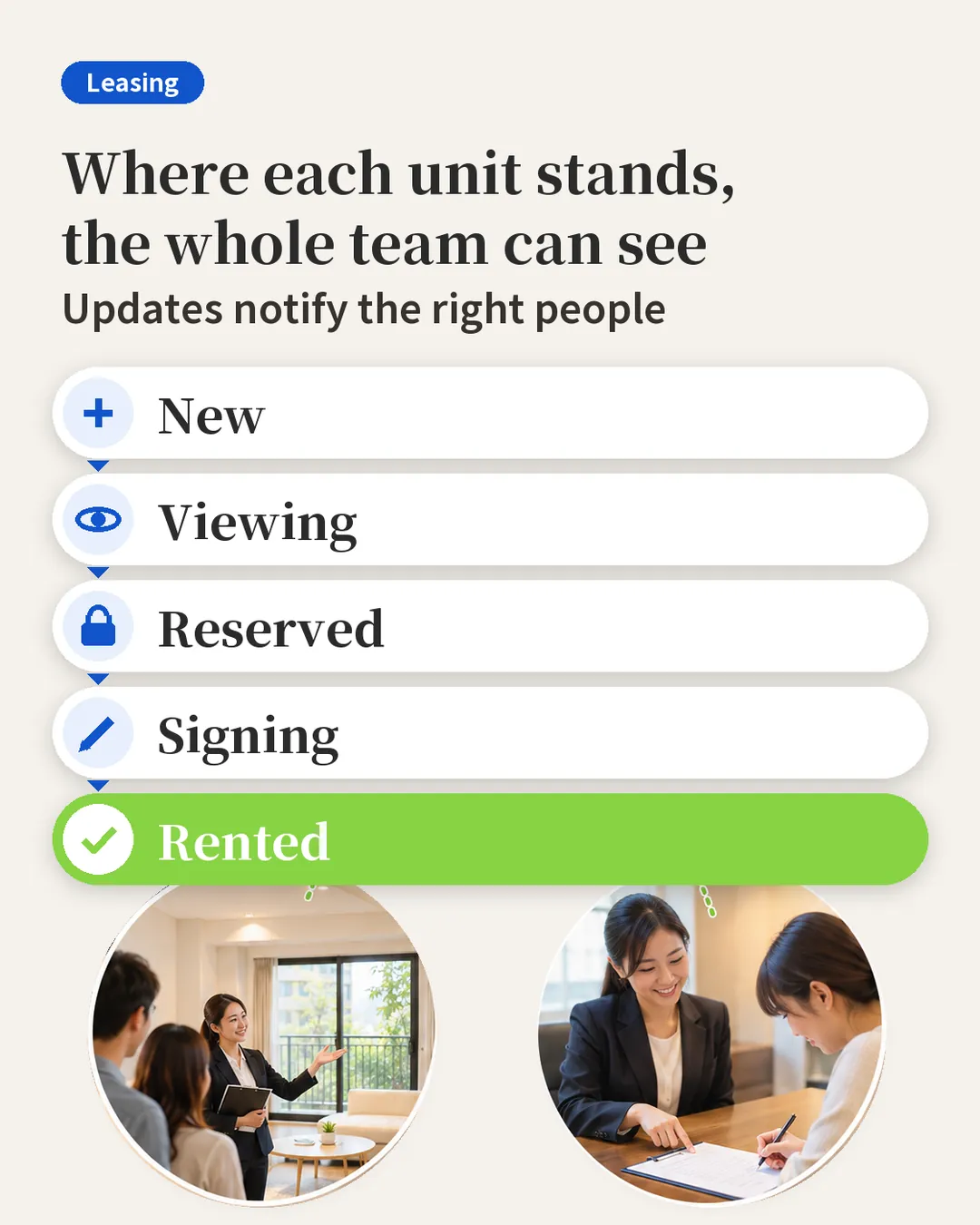
Leasing board: new, viewing, reserved, signing, rented, visible to the whole team

1. Owner signing: the landlord asks you to find a tenant

When a landlord asks you to let their property, open the ad's [More Actions] and choose [The owner signs the contract]. The property address and name, rent and deposit are already filled in from the ad. When setting the mandate period, click [3 Months] and the end date is filled in for you.

There are two ways to sign. Choose [Owner signs via link] and the system creates a signing link you can send to the owner by LINE or email, so they can sign on their phone. If the owner is with you, choose [Owners sign now] to sign on the spot and take a verification photo.

2. Manage the ad: edit, change the person in charge, close and reopen

In [More Actions], choose [Edit Advertisement] to change the rent, deposit, photos, title and description. There are templates for the title you can apply directly. To hand the ad to someone else, choose [Edit Ad Manager]. While the property is vacant, the system opens the ad automatically, and you can also copy the ad link to share it.

Once the deal is done, click [Close Advertisement]. The system asks whether you also want to add a contract or a commission split and takes you straight to the next step. To find a new tenant later, go to [Closed] and click [Open Advertisement].

3. Booking: the tenant wants to hold the room first

Click [Add booking] and enter the tenant's name, phone number and deposit amount. A leasing-only booking only records the deposit amount and does not create a billing period.

The rent, deposit and contract start and end dates are filled into the contract automatically at signing. The system also adds the signing date to the calendar and emails you and the tenant a reminder the day before. Once saved, the ad is marked as booked.

4. Tenant signing: booking details carry over

When the tenant is ready to rent, click [Tenant Sign Contract]. The tenant details, lease term, rent and deposit from the booking are already in the contract. Choose a contract template, preview it, then click [Set the contract method].

The agent, the landlord and the tenant can each sign by email, by link or in person. Click [Save contract] and the system sends a signing link to each of them.

5. Commission split: one commission, everyone's share

After the deal, click [Set Commission Bonus] and choose [Add a new commission split]. Enter the commission charged to the landlord and to the tenant, or click [1 Month] or [0.5 Month] to calculate the amount automatically.

Then set the bonuses for the listing agent and the sales agent. Enter either the amount or the percentage, and the other is calculated for you. Click [Confirm] and the system creates billing periods for the landlord commission, the tenant commission and employee bonuses.

A commission split by your rules between listing agent, sales agent and company

6. Commission reconciliation: see at a glance what has come in

Go to [Leasing Only] under [Accounting] > [Agency Accounting]. [Unreconciled] shows commissions not yet received. Once you mark one as received, it moves to [Reconciled]. The [Commission bonuses] tab shows each agent's bonuses.

FAQ

Does a leasing-only booking create a billing period?

No. A leasing-only booking only records the deposit amount. When the tenant signs, the rent, deposit and contract dates are filled into the contract automatically.

Can the ad be reopened for a property that is already booked?

No. Once a property is booked or a contract is being signed, the system will not let the ad be reopened, so the same property is never let twice.

Summary

Keep doing it the current way and next month you will still be flipping through notebooks and checking Excel, one ad at a time, to see who booked and whether the commission came in. In RentPackage, every step of a leasing-only deal, from listing and booking to signing and commission reconciliation, happens inside the same ad, so the same team can take on more deals.

Pick one leasing-only ad you are currently marketing and do an owner signing from [More Actions] to see how the data fills in automatically.

Try RentPackage for free

Related articles